
In this article, our team will explain to you how to activate an IPTV code on your device. It will also present you with the essential information that every user should know before getting started.
What is an IPTV code?
An IPTV code corresponds to the data provided by the provider after subscription. It can be transmitted in the form of an M3U link containing a URL, or in the form of Xtream Codes identifiers including a username, password and server address. This information allows easy access to online content from a compatible application.
What should I do before activating an IPTV code?
Before activating the IPTV code, you need to check that your device is compatible and your internet connection is stable. Subscription data must come from a trusted provider. It is also important to enter the information correctly and check the validity date of the subscription.
To enable IPTV on your device, start by downloading a compatible IPTV app. You can, for example, install Gse Smart IPTV from the App Store.
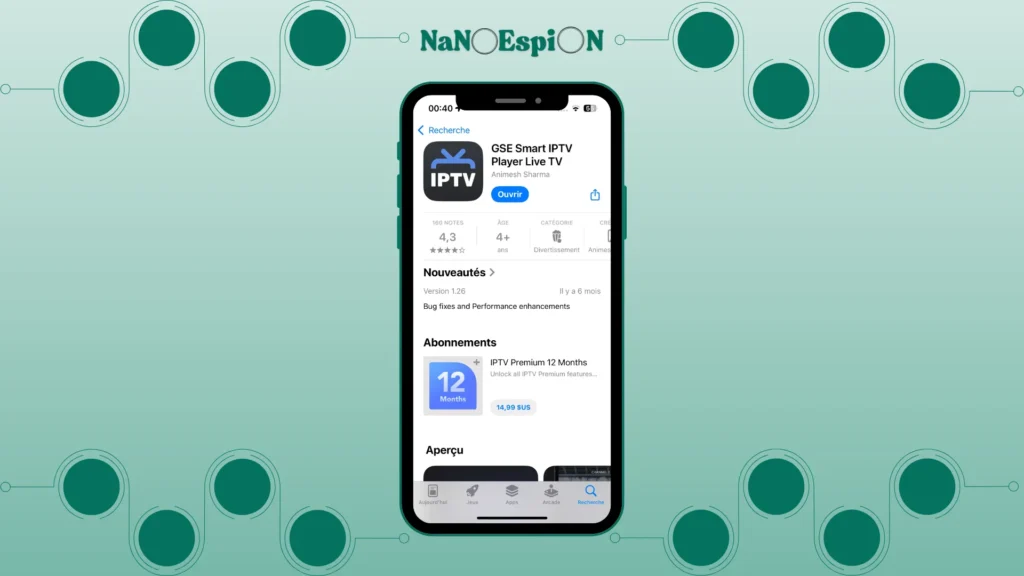
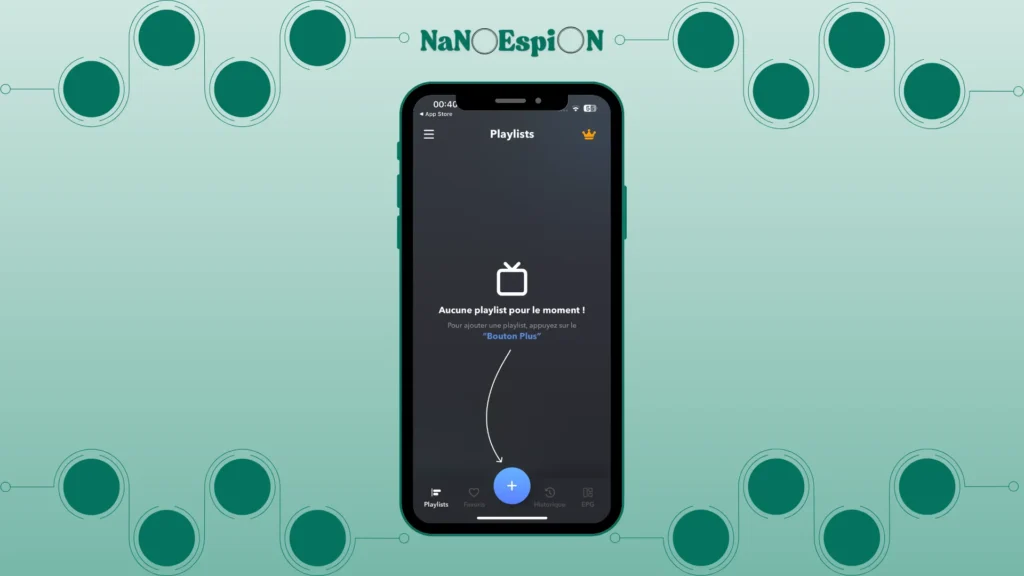
Then open the application, then click on “Add playlist”.
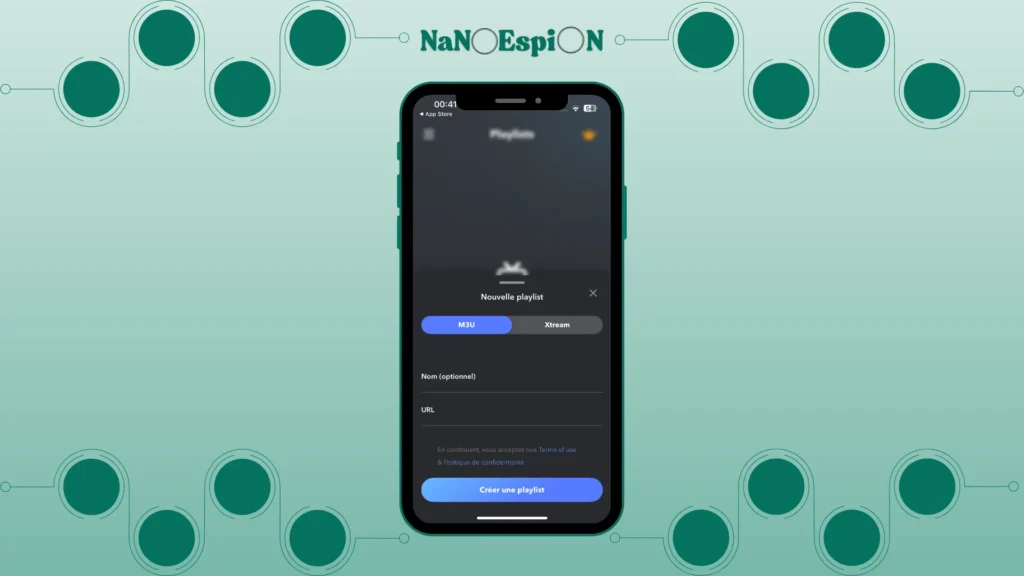
Choose the format that matches your subscription data, such as Xtream Codes or M3U. For M3U format, add the URL link provided, then save the list.
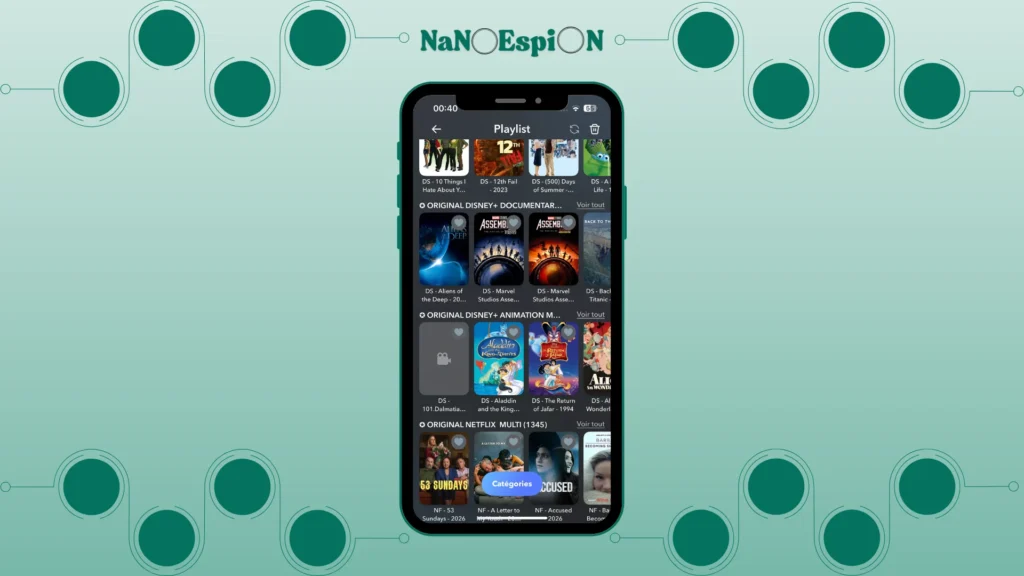
Wait for the content to load in the app before you start watching.
Best quality application to activate an IPTV code?
Gse Smart IPTV:
GSE IPTV Player is an easy-to-use media player suitable for iOS devices. It supports M3U and Xtream Codes, live channels, movies, series, VOD, EPG and catch-up TV. It offers up to 4K playback and supports multiple protocols including HLS and MMS. The app is free to download, but it doesn’t offer any ready-to-watch content. The user must therefore add their playlist.
XP IPTV:
XP Player is compatible with several devices, including Android and iOS. This media player, designed to display IPTV content, stands out for its ease of use and compatibility with Xtream Codes. It allows you to watch content in high quality and offers several features, such as EPG, VOD, custom organization of lists and modification of settings according to user preferences.
IPTV Smarters Expert:
IPTV Expert is one of the players we recommend using because it is easy to use, especially for beginners. It offers features like EPG, VOD, and Chromecast support, as well as Replay for missed content. It also allows you to download videos to watch them without Internet. It supports M3U, M3U8, Xtream Codes and Stalker Portal formats, and automatically categorizes content into live channels and series.
Tips for activating an IPTV code safely
• Use a reliable app downloaded from an official store.
• Subscribe to a legal and approved provider.
• Do not share your subscription data with others.
• Use a secure payment method and avoid unusually cheap offers.
• Avoid suppliers who are unknown or whose information is not clearly stated, as they could put your personal data at risk.
Conclusion
Our team has explained to you, in this article, how to activate an IPTV code on your device. The same steps can be applied to different devices. We have also presented you with useful information to improve your experience. We hope this article will be useful to you. Don’t forget to share your experience in the comments.